¶ Introduction to Floating Licenses
Floating licenses allow you to use the Volinga Unreal Engine plugin tools independently of the machine or its hardware hash.
Unlike Basic or Pro licenses, floating licenses are not tied to a specific hardware hash. Instead, they operate using a seat-based system.
Each account has a number of seats assigned to it. When a user logs in from a computer, one seat is automatically reserved for that machine.
This allows users to work from different computers without needing to manually move or reassign licenses.
¶ Using a Floating License
¶ Open the License Panel
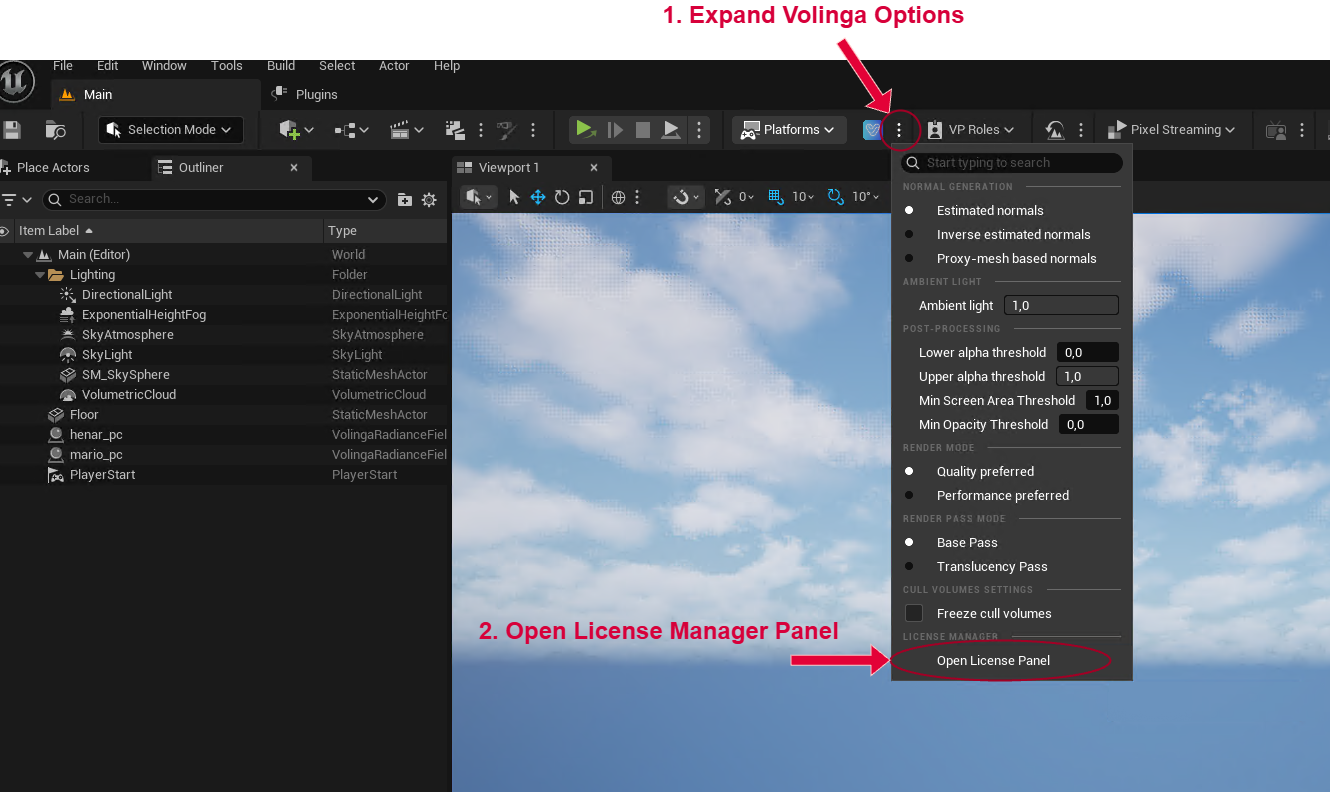
- In Unreal Editor, locate the Volinga button in the top menu.
- Open the dropdown menu.
- Click Open License Panel.
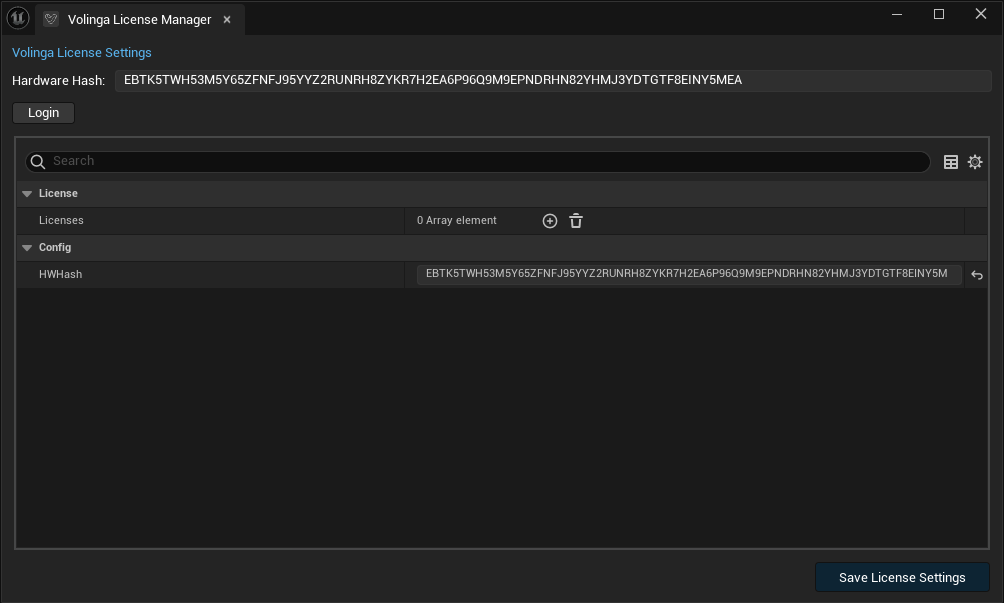
The License Panel will appear.
¶ Log In
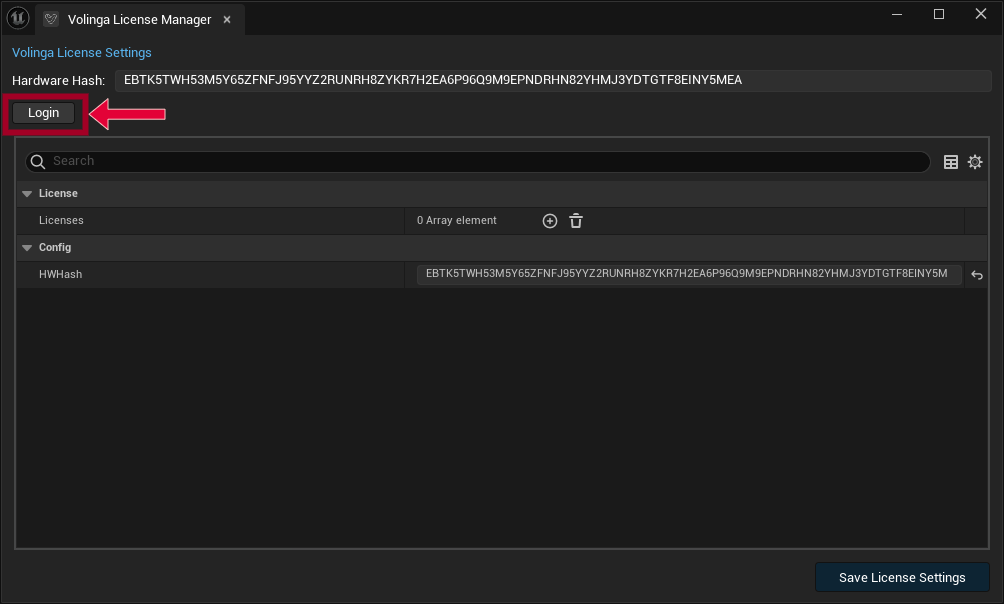
Inside the License Panel, you will see a Login button.
- Click Login.
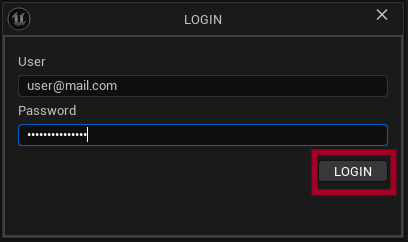
- A login window will appear.
- Enter your username and password.
- Click Login.
Note
When using an online (floating) license, any offline licenses assigned in the License Panel are temporarily disabled and will not be used during this session.
Once you log out, the system will automatically revert to using your offline license, if one is assigned.
¶ Login Results
¶ Successful Login
If the login is successful:
- The login window will close automatically.
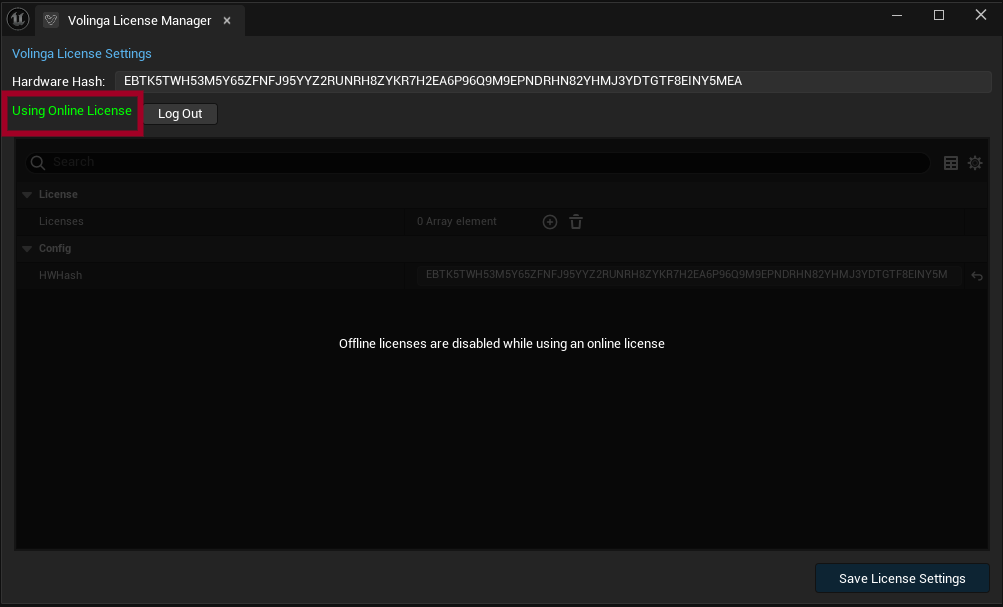
- The License Panel will display the following message: Using Online License
You can now use the plugin without loading any license files or worrying about which computer you are using.
¶ Failed Login
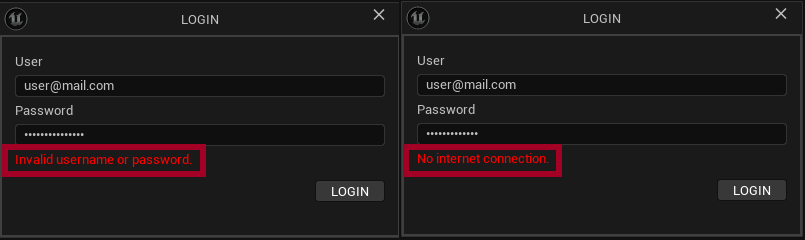
If the login fails, you will be notified.
Common causes include:
- Incorrect username or password
- No internet connection
¶ Logout
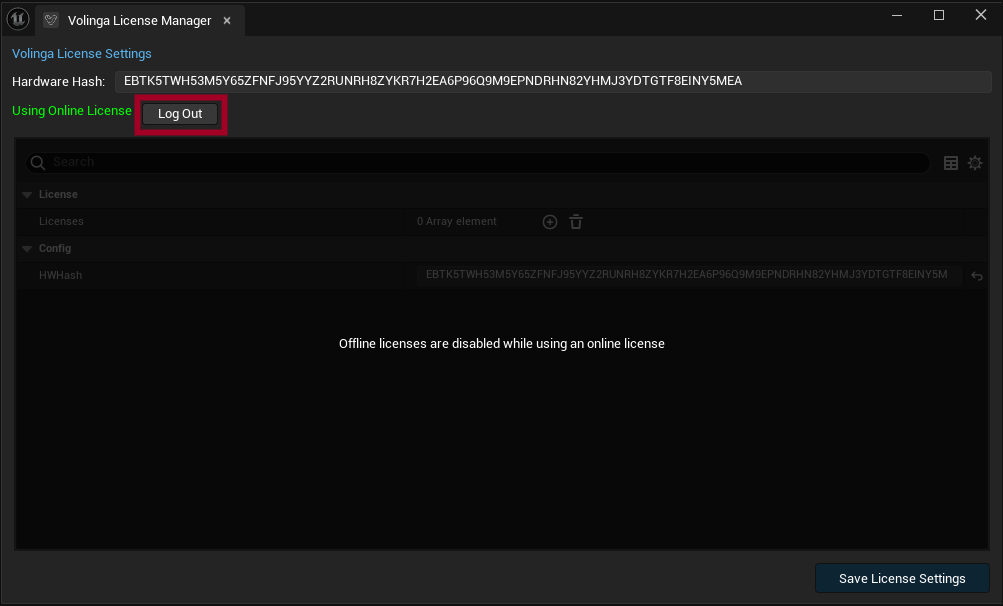
To log out and release your seat (thus freeing the license for another user or machine),
use the Logout option in the License Panel.
- Open the License Panel in Unreal Editor.
- Click the Logout button.
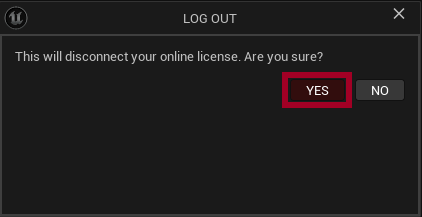
- A confirmation dialog will appear warning that you are about to close your session.
- Click Yes to confirm.
¶ Result
After logging out:
- Your session will be closed.
- Your seat will be immediately released.
- The license will become available for use on another machine.
You can verify this in the web control panel, where your seat will no longer appear as active.
Note
Logging out or closing your Unreal Editor will free up the seat.
¶ Managing Seats from the Web Panel
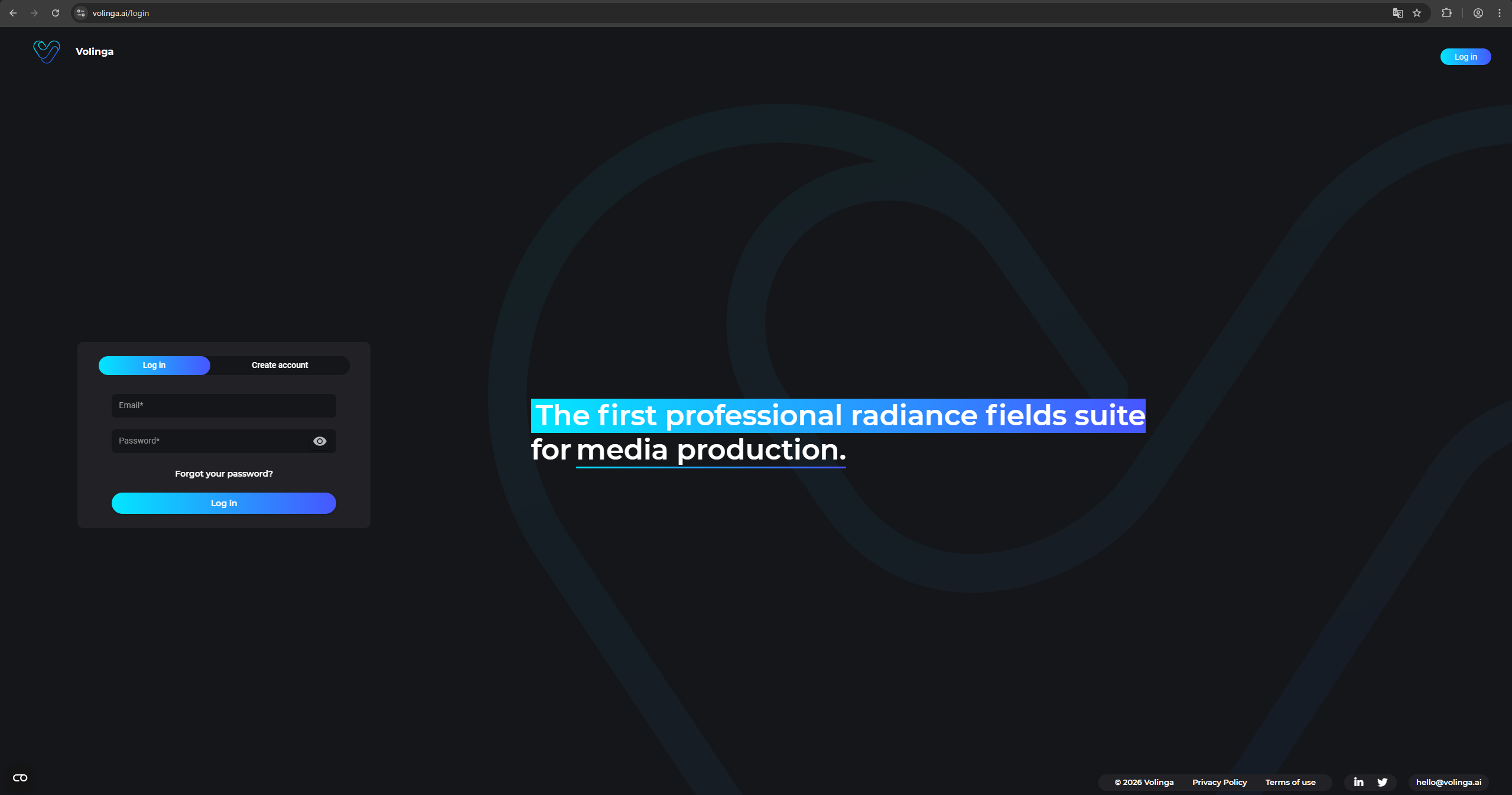
Seats can be managed from your Volinga account page.
Go to: https://volinga.ai/profile
If you are not logged in:
- Log in to your Volinga account.
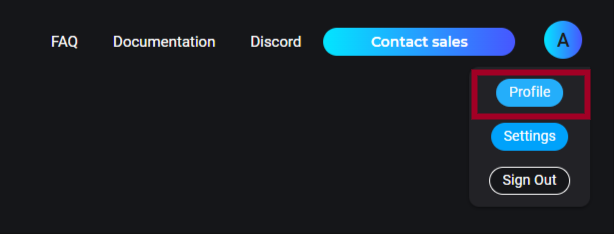
- Click your profile icon in the top-right corner.
- Select Profile.
¶ Seat Control Panel
Inside the Profile page, you will find the Seat Control Panel.
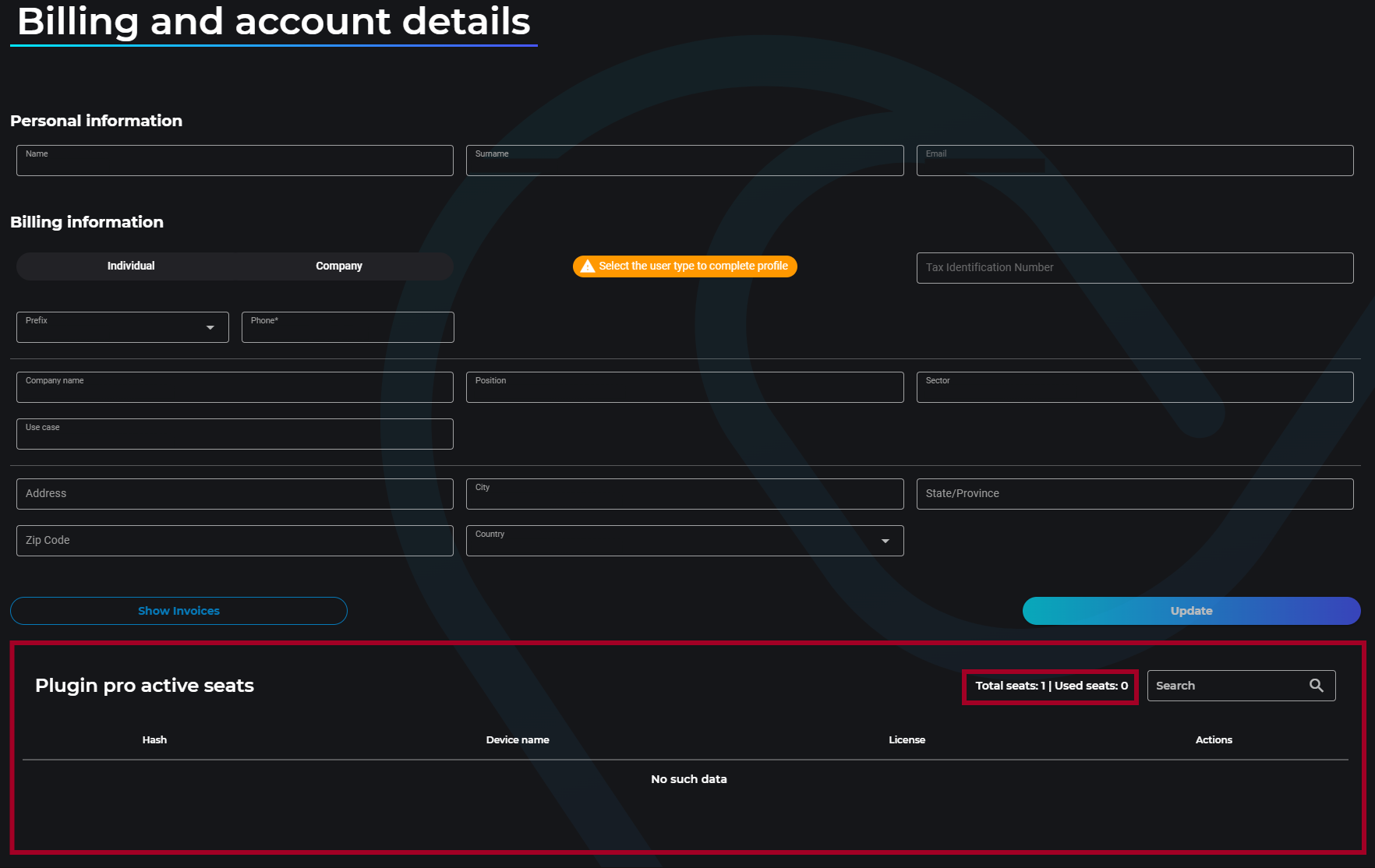
This panel shows:
- The total number of seats assigned to your account
- The number of seats currently in use
Each seat entry includes:
- Hardware Hash of the machine
- Device name
- License type

¶ Releasing a Seat
If you need to free a seat currently in use, you can release it from the Seat Control Panel.

¶ Steps to Release a Seat
- Locate the seat in the Seat Control Panel.
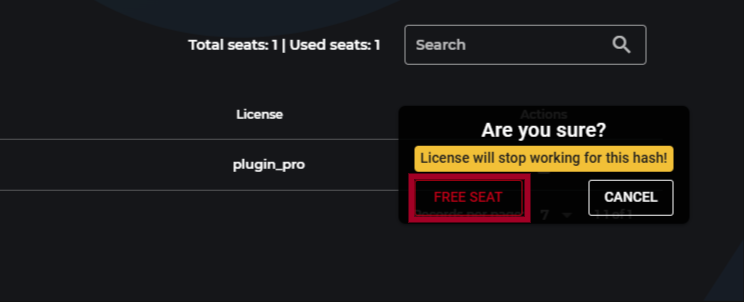
- Click the trash icon at the end of the row.
- A confirmation message will appear.
- Click Free Seat to confirm.
¶ What Happens
When a seat is released:
- The seat becomes available for another device.
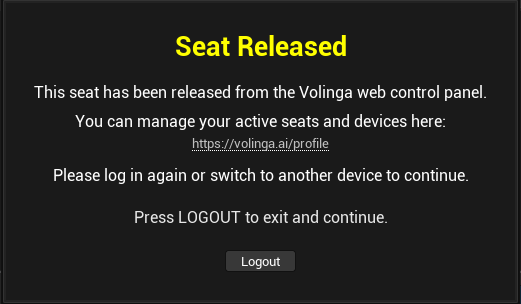
- The user currently using that seat will receive a notification inside Unreal Editor.
This notification:
- Blocks the execution of the Unreal project.
- Informs the user that their seat has been released.
To continue working, the user must:
- Click Logout as indicated in the message.
- Log in again to reserve a new seat.
Note
Seat release is not instantaneous. It may take a few seconds due to server synchronization.
¶ No Seats Available
If all seats assigned to your account are currently in use, new login attempts will not succeed.
¶ What Happens
When a user tries to log in:
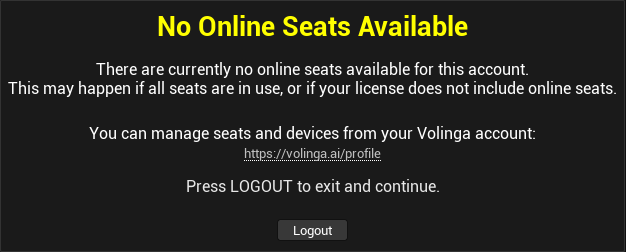
- A warning message will indicate that no seats are available.
- Access to the plugin will be denied until a seat is freed.
¶ How to Resolve
To continue using the plugin, you can:
- Ask another user to log out, or
- Manually release a seat from the web control panel
Warning
Login will not be possible until a seat becomes available.