¶ Licensing in Volinga Suite
Volinga Suite supports two types of licenses: Online and Offline.
Both are device-bound, meaning each license is linked to a specific machine.
¶ License Types
¶ Online License
An online license is linked to your user account and requires an internet connection to authenticate.
To obtain an online license:
- Contact the sales team at: salesteam@volinga.ai
- Ensure you have a registered account
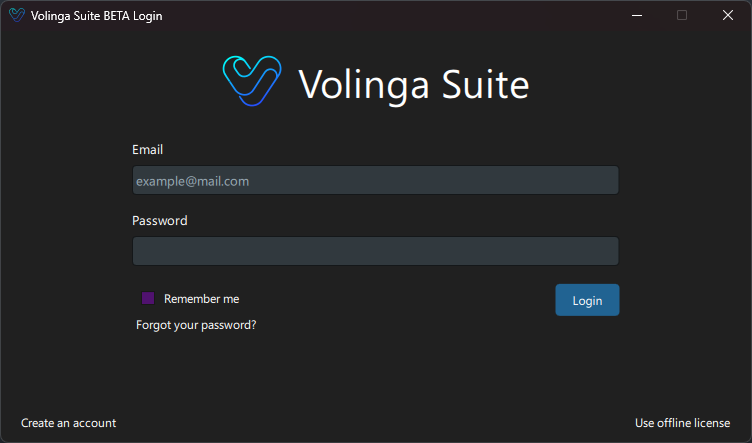
You can create an account by clicking "Create an account" in the login screen or visiting: https://volinga.ai/login
¶ Offline License
An offline license is a file generated for a specific device using its hardware hash.
This type of license does not require an internet connection after activation.
¶ How to Retrieve the Hardware Hash
To generate an offline license, you first need the Device Hash of the target machine.
- Open Volinga Suite
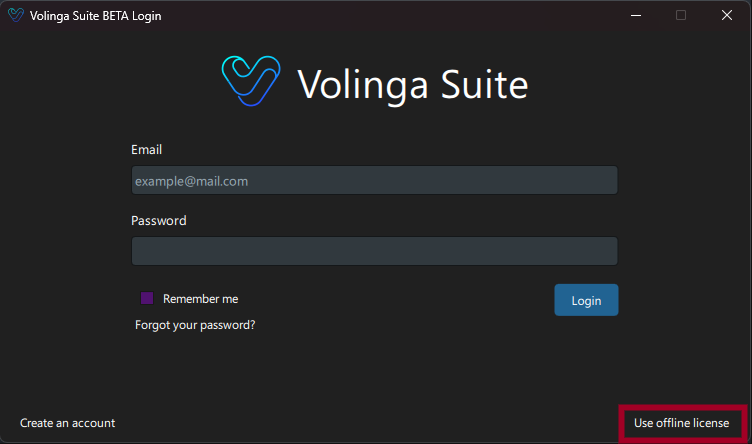
- Click "Use Offline License" on the login screen
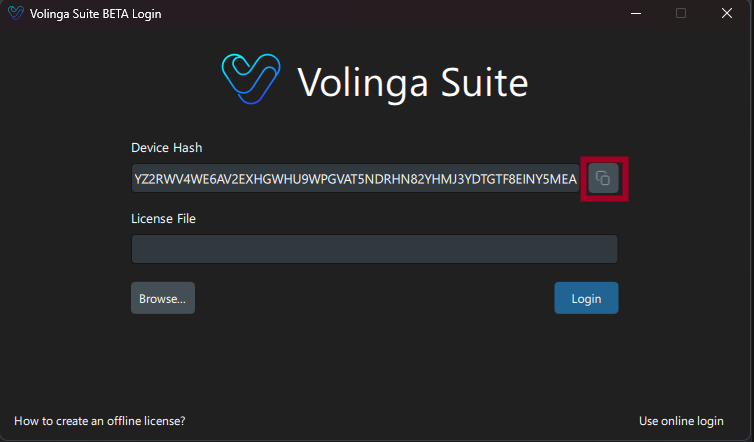
- The Device Hash will be displayed
To copy it:
- Click the copy button next to the Device Hash field
- Make sure to copy the entire hash string
¶ How to Generate an Offline License File
Once you have the hardware hash:
- Go to the license management page
- Click "Download License" for your license
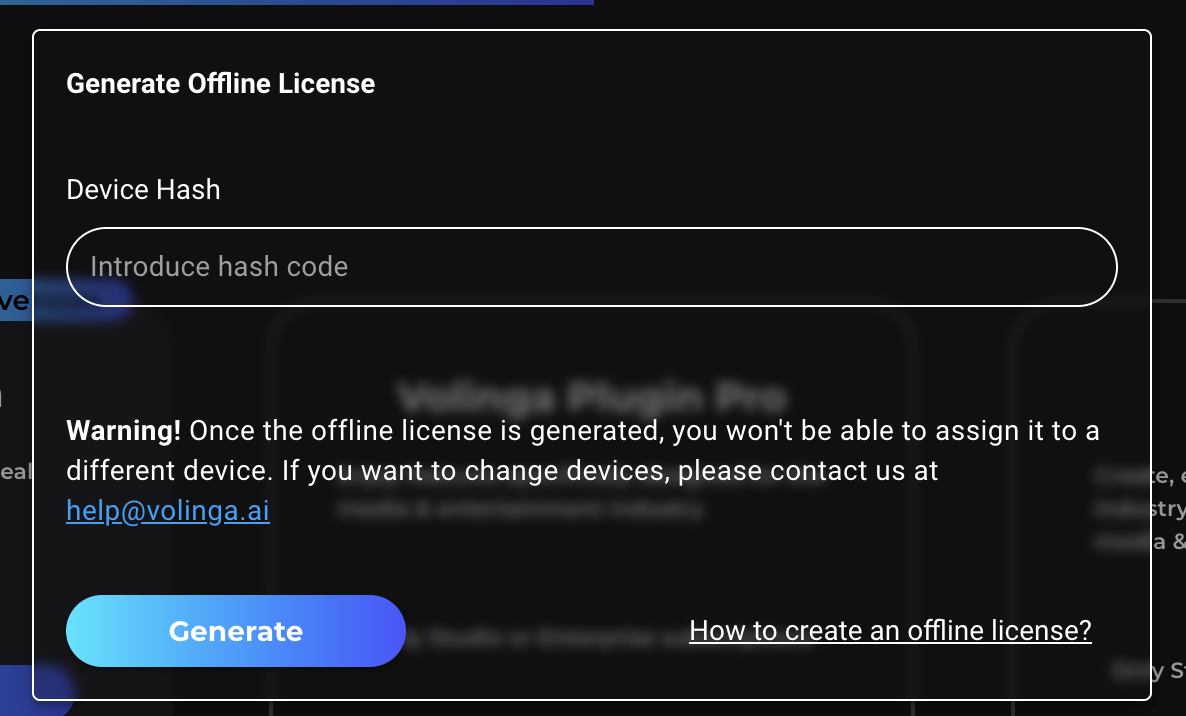
- A dialog will appear asking for the Device Hash
- Paste the hash and click "Generate"
- The license file will be created and downloaded
After the first generation:
- The Download License button will directly download the generated file
Important
Once a license has been generated for a device, it cannot be regenerated for another device through the user interface.
This restriction prevents unauthorized duplication.
If you need to move your license to another machine:
- Contact the support team
- Provide your account details and reason for the request
The team will assist you with reassigning the license.
¶ How to Log In with an Online License
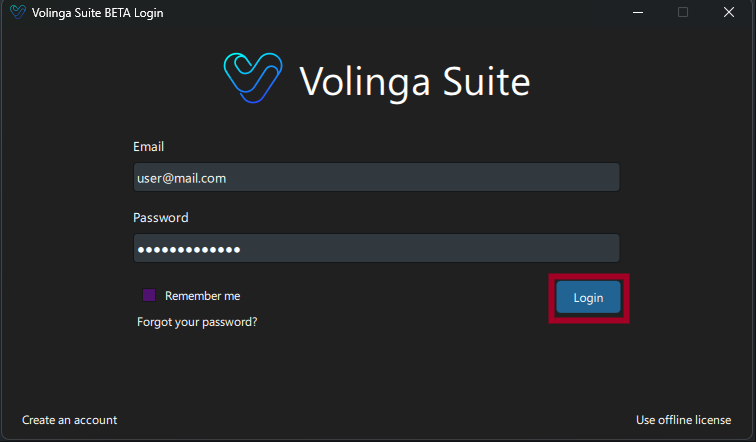
- Open Volinga Suite
- Enter your account credentials
- Click Login
If your credentials are valid and a license is assigned to your account, access to the Suite will be granted.
Make sure your account has an active license assigned before logging in.
¶ How to Use an Offline License
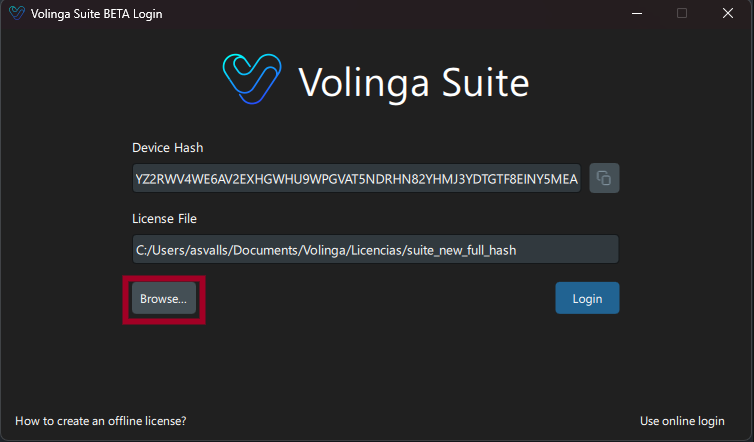
- On the login screen, click "Use Offline License"
- Click "Browse..."
- Select your previously generated license file
- Click Login
If the file is valid and matches your device, access will be granted.
¶ How to Log Out
To log out from your current session or license:
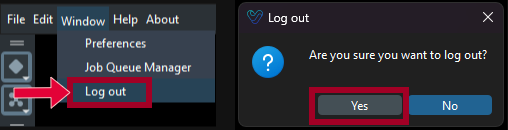
- Go to the top menu bar in Volinga Suite
- Navigate to Window → Logout
- A confirmation dialog will appear
- Click Yes to confirm
After logging out, you will return to the login screen.